

Buying Microsoft 365 licences is easy.
Turning those licences into a secure, well-governed workplace is harder.
For organisations evaluating Microsoft 365 for business in Nigeria, the real question is not simply which plan to buy.
It is whether employees can work securely across email, files, meetings, devices and business applications without creating unnecessary risk, duplication or confusion.
A company may already have Outlook, Teams, SharePoint, OneDrive and Microsoft security capabilities available.
But if:
- users still share documents through personal email,
- former employees retain access,
- MFA is inconsistent,
- unmanaged devices connect freely,
- Teams and SharePoint grow without structure,
- sensitive files are copied everywhere,
- or nobody knows which controls are actually configured,
then the business has licences.
It does not yet have a governed Microsoft modern workplace.
The value comes from implementation.
That means designing identity, collaboration, device management, security, ownership and adoption as one operating model.
For organisations reviewing their wider technology environment, TechBots provides business technology and implementation services across cloud, cybersecurity, infrastructure and digital transformation.
The Operational Problem Comes Before Microsoft 365
Microsoft 365 is often treated as a collection of applications.
Email.
Teams.
Word.
Excel.
SharePoint.
OneDrive.
Security tools.
But employees do not experience these as separate products.
They experience one working environment.
A finance employee may:
- Receive a document in Outlook.
- Save it to SharePoint.
- Discuss it in Teams.
- Open it from a laptop.
- Approve something from a mobile device.
- Share it with another employee.
Every step involves questions about:
- identity,
- permissions,
- devices,
- data,
- ownership,
- and security.
That is why a Microsoft 365 implementation should begin with how people work, not with activating features one by one.
Common Signs the Environment Is Under-Governed
Look for patterns such as:
- shared passwords,
- broad administrative access,
- unclear user onboarding and offboarding,
- inconsistent MFA,
- uncontrolled external sharing,
- important files stored locally,
- duplicate Teams and SharePoint sites,
- personal devices accessing business data without policy,
- inconsistent software deployment,
- weak visibility into compromised devices,
- or no defined owner for Microsoft 365 administration.
These are not necessarily licence problems.
They are operating-model problems.
Microsoft 365 for Business Nigeria: What Should Be Decided First?
Before changing licences or configuring additional services, leadership and IT should answer several questions.
1. Who Needs Access to What?
Start with roles.
A salesperson, finance manager, contractor, administrator and executive do not necessarily need identical access.
Define:
- employee roles,
- applications required,
- data required,
- administrative privileges,
- external access needs,
- device requirements.
This creates a stronger foundation than giving everyone broad access and trying to reduce it later.
2. Which Devices Can Access Company Information?
Employees may work from:
- corporate laptops,
- mobile phones,
- home devices,
- shared devices,
- or personally owned equipment.
The organisation needs a policy for each.
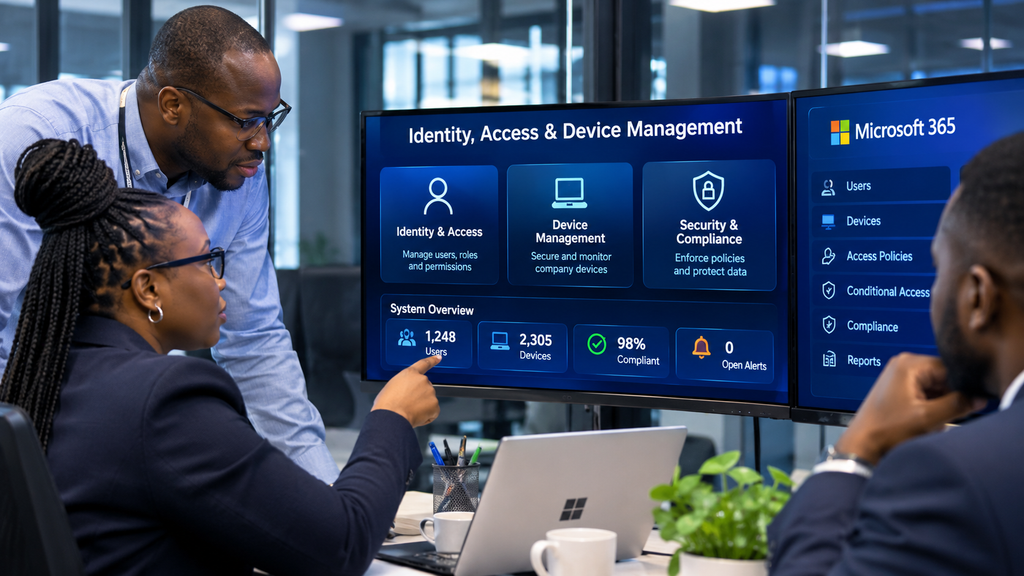
Microsoft Intune can support device and application management, while Conditional Access can use identity and device signals to control access to company resources when the appropriate licences are in place. Microsoft states that Conditional Access is available through Microsoft Entra ID P1 or P2, and Intune compliance information can be used in access decisions.
The practical question is not:
“Do we have Intune?”
It is:
“Which devices are allowed to access which business resources under what conditions?”
3. How Will Identity Be Protected?
Identity is one of the central control points in a Microsoft environment.
If an attacker obtains valid credentials, many traditional security controls become less useful.
Multifactor authentication should therefore be part of the baseline discussion.
Microsoft states that security defaults can provide MFA capabilities across Microsoft 365 organisations using Microsoft Entra ID Free, while more granular Conditional Access policies require Entra ID P1 or P2.
The exact approach should reflect the organisation’s licence, risk and operational needs.
4. Where Should Business Files Live?
If staff use:
- desktops,
- USB drives,
- email attachments,
- personal cloud storage,
- and WhatsApp
as parallel document systems, collaboration becomes difficult to govern.
A modern workplace should define where:
- personal work files live,
- team files live,
- formal business documents live,
- sensitive information lives,
- and external collaboration happens.
Technology should support that model.
It should not replace the need to define it.
Collaboration Tools Need Governance Too
Microsoft 365 provides powerful business collaboration tools.
But collaboration becomes messy without structure.
Teams can multiply.
SharePoint sites can multiply.
Permissions can become difficult to understand.
Users may create multiple copies of the same file.
The answer is not to disable collaboration.
It is to govern it.
Define the Purpose of Each Workspace
Before creating a Team or SharePoint site, define:
- business purpose,
- owner,
- members,
- expected information,
- external sharing rules,
- retention expectation,
- review date.
That makes lifecycle management easier.
Separate Ownership From Membership
Every important workspace should have accountable owners.
Membership tells you who can participate.
Ownership tells you who is responsible for maintaining the workspace.
That distinction becomes especially important when employees leave or change roles.
Avoid Email as the Permanent Document Repository
Email is useful for communication.
It is usually a poor long-term collaboration model.
Instead of repeatedly sending attachments, teams can work from controlled shared locations where appropriate.
That reduces confusion around:
- which version is final,
- who has access,
- and whether information is current.
Security Should Be Designed as a System
A common mistake is to treat security as one product.
Install antivirus.
Turn on MFA.
Done.
Real business security is layered.
A Microsoft environment may involve controls across:
- identity,
- devices,
- email,
- collaboration,
- applications,
- data,
- and administration.
Microsoft currently positions Microsoft 365 Business Premium as a productivity and security offering for organisations of up to 300 users, with capabilities including Microsoft Defender for Business, Defender for Office 365, Entra ID and Intune.
That does not mean every business should automatically purchase that plan.
It means licence selection should reflect actual control requirements.
Identity
Questions to answer:
- Is MFA enabled appropriately?
- Are privileged accounts restricted?
- Are administrator roles reviewed?
- Are former employees disabled promptly?
- Are risky access situations visible?
Devices
Questions include:
- Are company devices known?
- Are minimum security standards defined?
- Are operating systems current?
- Is endpoint protection configured?
- What happens when a device is lost?
Microsoft Defender for Business is designed for small and medium-sized organisations and provides endpoint protection capabilities; it is also included with Microsoft 365 Business Premium.
Email and Collaboration
Email remains a major business communication channel.
Controls should consider:
- phishing,
- malicious links,
- attachments,
- compromised accounts,
- and inappropriate external sharing.
The specific capabilities available depend on licence and configuration.
Do not assume a control exists simply because Microsoft 365 exists.
A Practical Microsoft 365 Implementation Framework
A stronger implementation can follow six stages.
Stage 1: Discover
Map:
- users,
- devices,
- locations,
- applications,
- current licences,
- domains,
- access methods,
- file locations,
- security gaps,
- business-critical workflows.
The output should be a current-state view.
Stage 2: Design
Define the target model.
That includes:
- identity structure,
- licence mapping,
- security baseline,
- collaboration architecture,
- device strategy,
- external-sharing rules,
- administrative roles,
- onboarding and offboarding.
Avoid configuring tools before these decisions are clear.
Stage 3: Configure
Implement the agreed controls.
Depending on scope and licensing, this may include:
- user and group configuration,
- MFA,
- Conditional Access,
- device enrolment,
- endpoint protection,
- Teams governance,
- SharePoint permissions,
- sharing controls,
- admin-role configuration.
Every control should have an owner.
Stage 4: Migrate Carefully
Migration may include:
- email,
- files,
- shared folders,
- local documents,
- legacy accounts.
Migration should consider:
- data ownership,
- permissions,
- duplicates,
- obsolete information,
- cutover timing,
- rollback planning.
Moving everything blindly into Microsoft 365 simply relocates the clutter.
Stage 5: Enable Users
Training should reflect real roles.
Finance does not need the same training as sales.
Executives may need different guidance from general staff.
Useful adoption training might cover:
- secure sign-in,
- Teams etiquette,
- where to store files,
- external sharing,
- mobile access,
- suspicious email reporting,
- and requesting support.
Technology adoption is partly a behaviour problem.
Stage 6: Operate and Review
Implementation is not complete at go-live.
Review:
- licences,
- inactive users,
- privileged access,
- device compliance,
- sharing,
- security alerts,
- workspace ownership,
- and user adoption.
The environment changes as the company changes.
Governance needs to change with it.
Keep Human Ownership in the System
Automation can help with:
- account provisioning,
- group membership,
- software deployment,
- security alerts,
- device policies,
- reminders,
- and reporting.
But people still need to own decisions such as:
- access approval,
- exceptions,
- privileged permissions,
- sensitive sharing,
- licence changes,
- data ownership,
- and incident response.
A mature environment makes the human decision point explicit.
What Should a Secure Modern Workplace Measure?
Do not measure Microsoft 365 success by licence count alone.
A licence can be assigned and still produce little value.
Better indicators depend on the intended outcome.
Identity Measures
- MFA coverage
- privileged-account review
- inactive-account removal
- access-policy exceptions
Device Measures
- managed-device coverage
- compliant-device percentage
- endpoint-protection coverage
- unresolved device exceptions
Collaboration Measures
- workspace ownership
- external-sharing exceptions
- orphaned Teams or sites
- appropriate file-storage adoption
Operational Measures
- onboarding completion time
- offboarding completion
- support requests
- recurring user issues
- administrative rework
Security Measures
- unresolved alerts
- risky sign-in investigation
- phishing incidents
- policy exceptions
- device exposure
The purpose is not to create another gigantic dashboard that nobody reads.
Measure what helps someone make a decision.
Common Microsoft 365 Risks to Avoid
Buying Licences Before Defining Requirements
A more expensive plan is not automatically a better fit.
Start with requirements.
Assuming Security Is Automatically Configured
Capabilities must still be configured and governed.
Giving Too Many Users Administrative Access
Privileged access should be deliberate and reviewable.
Ignoring Personal Devices
If employees use personal devices, define how business data may be accessed.
Creating Teams and SharePoint Sites Without Lifecycle Rules
Every important workspace should eventually be reviewed, retained, archived or removed.
Treating Migration as File Copying
Permissions, ownership, obsolete data and business continuity all matter.
Skipping Adoption
A perfectly configured environment can still fail operationally if employees bypass it.
Microsoft Security for SMEs: Licence Is Only One Part of the Decision
For SMEs, security decisions should balance:
- user count,
- device count,
- regulatory requirements,
- data sensitivity,
- remote work,
- administrative capacity,
- and business risk.
Microsoft’s current small- and medium-business security offering describes Business Premium as combining productivity with identity, device, email and data protection for organisations of up to 300 users.
That can be useful context.
But businesses should still confirm:
- exact licence entitlement,
- current product terms,
- required add-ons,
- geographic availability,
- and configuration requirements
before purchase.
A Short Microsoft 365 Readiness Checklist
Before implementation, confirm:
Business
- User roles defined
- Critical workflows identified
- Collaboration needs mapped
- Owners assigned
Identity
- MFA approach defined
- Admin roles reviewed
- Joiner/mover/leaver process documented
Devices
- Corporate devices identified
- Personal-device policy defined
- Management requirements documented
Collaboration
- Teams structure defined
- SharePoint ownership defined
- External-sharing rules agreed
Security
- Security baseline defined
- Endpoint requirements documented
- Email-security requirements reviewed
- Incident escalation path defined
Adoption
- Training plan defined
- Support owner identified
- User guidance prepared
Operations
- Licence review process defined
- Security review cadence defined
- Workspace lifecycle review established
The Goal Is Not More Microsoft 365
The goal is a workplace where employees can:
- access what they need,
- collaborate without losing control of information,
- work securely across appropriate devices,
- understand where documents belong,
- and know what to do when something goes wrong.
That is the difference between purchasing software and implementing a Microsoft modern workplace.
Microsoft 365 can provide many of the underlying capabilities.
Governance turns those capabilities into an operating environment.
Book a Microsoft Solutions Review
If your organisation already uses Microsoft 365 but is unsure whether identity, devices, collaboration, security and licences are aligned, a structured review can help identify the gaps.
TechBots supports organisations across cloud, cybersecurity, infrastructure and digital transformation services. Explore TechBots business technology services or contact TechBots to discuss your requirements.
Book a Microsoft solutions review.
Any Microsoft 365 recommendation should be based on current licensing, user requirements, device environment and security needs. Product features and entitlements can change, so the exact scope should be confirmed before implementation.