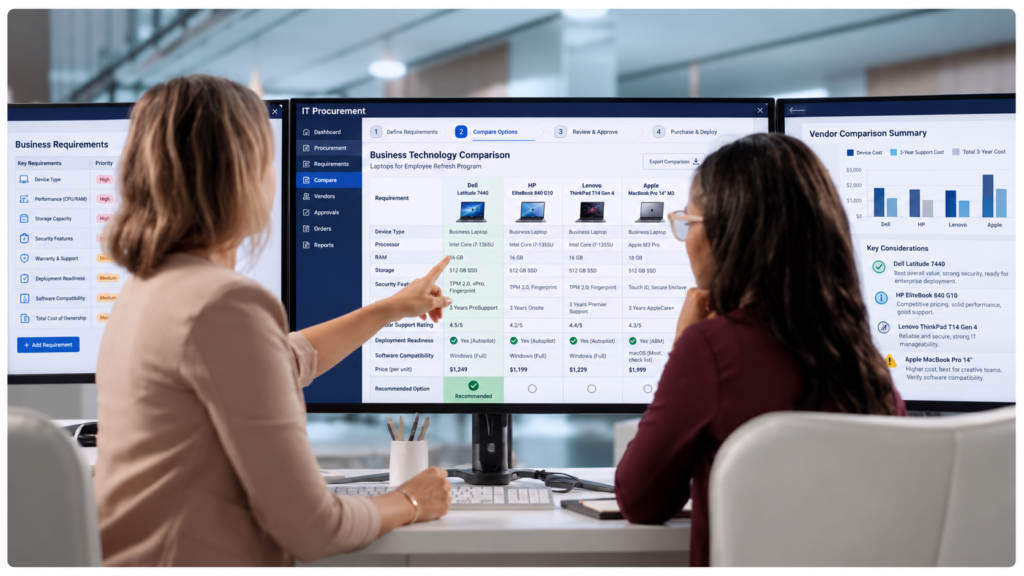
A low equipment quotation can become an expensive purchase when the technology does not match the work, the existing environment, the support model or the expected lifecycle.
That is why good IT procurement should compare more than:
- Brand
- Processor
- Unit price
- Discount
The better question is:
Does this technology fit the requirement, and have we accounted for the full cost of owning and operating it?
For organisations buying business laptops, desktops, networking equipment, school devices or other technology in Nigeria, a structured procurement process can reduce avoidable surprises.
Start With the Requirement, Not the Product
Before asking suppliers for prices, define the need.
A useful requirements brief should describe:
- User roles
- Applications
- Workload
- Mobility
- Connectivity
- Peripherals
- Security requirements
- Accessibility needs
- Expected useful life
For example, a school lab, field team, finance department and design team should not automatically receive the same configuration.
The technology should follow the work.
Not the other way around.
A Seven-Step IT Procurement Process
1. Define the Requirement
Start with the people and the work they need to perform.
Document:
- Number of users
- User roles
- Required applications
- Performance expectations
- Working location
- Connectivity needs
- Mobility requirements
- Accessories
- Security controls
- Accessibility requirements
- Expected replacement cycle
This makes the buying decision easier to defend.
It also prevents suppliers from pricing against vague descriptions such as:
“We need 30 laptops.”
A stronger brief might say:
“We need 30 business laptops for staff using Microsoft 365, browser-based applications and video conferencing, with defined security, battery-life and warranty requirements.”
That is much easier to evaluate.
2. Define the Standard
Once the requirement is clear, define the approved specification.
That may include:
- Processor class
- Minimum RAM
- Storage
- Display size
- Operating-system edition
- Security features
- Connectivity
- Ports
- Warranty
- Accessories
The purpose of a standard is not to make every user identical.
It is to create a baseline.
Exceptions can then be approved when the workload genuinely requires something different.
This helps buyers compare equivalent configurations rather than comparing two products that only look similar in a quotation.
3. Verify the Source
Supplier due diligence matters.
Confirm:
- Legal business identity
- Product identity
- Model and configuration
- Warranty route
- Delivery responsibilities
- Documentation
- Commercial terms
Do not assume that a logo on a quotation proves authorised reseller status.
If authorisation matters to the procurement, verify it directly.
Also confirm exactly what product is being supplied.
A description such as:
“Core i5 business laptop”
is not enough.
Ask for the exact:
- Manufacturer
- Model
- Product number
- Processor
- Memory
- Storage
- Operating system
- Warranty configuration
That reduces the risk of approving one specification and receiving another.
4. Evaluate the Full Cost
Unit price is only one part of the decision.
Compare the full configuration and operating assumptions.
That may include:
Hardware
- Device
- Charger
- Monitor
- Dock
- Mouse
- Keyboard
- Headset
- Carrying case
Software
- Operating-system licence
- Productivity tools
- Security software
- Specialist applications
Deployment
- Configuration
- Imaging
- Identity setup
- Asset tagging
- Data migration
- User handover
Support
- Warranty
- Repairs
- Replacement process
- Help-desk support
Operating Costs
- Power
- Connectivity
- Software subscriptions
- Maintenance
- Replacement assumptions
A cheaper device can become more expensive if the business later has to add missing licences, accessories, deployment work or support.
Compare Like With Like
Two quotations are only comparable when they cover the same scope.
For example:
| Cost Area | Supplier A | Supplier B |
|---|---|---|
| Device configuration | Included | Included |
| Operating system | Included | Included |
| Accessories | Included | Partial |
| Delivery | Included | Additional |
| Deployment | Included | Not included |
| Asset tagging | Included | Not included |
| Warranty | 3 years | 1 year |
| Support | Defined | Not stated |
The lower total may simply contain less.
Normalise the scope before deciding which quotation offers better value.
5. Plan Deployment Before Delivery
Procurement should not end when the boxes arrive.
Plan how the technology will enter the organisation.
That may include:
- Standard image or configuration
- User identity
- Updates
- Encryption
- Endpoint protection
- Asset tags
- Application installation
- Acceptance testing
- User assignment
Without a deployment plan, new equipment can arrive and sit unused while different teams decide what happens next.
That is not exactly the triumphant productivity moment the purchase order promised.
Define Acceptance Tests
Before handover, confirm:
- Correct model
- Correct configuration
- Serial number
- Physical condition
- Operating system
- Required applications
- Network connectivity
- Security configuration
- Accessories
For specialist equipment, test the actual workload.
A graphics workstation should be tested as a graphics workstation.
A school device should be tested against the required learning environment.
6. Maintain an Asset Register
Every organisational device should have a record.
That may include:
- Asset ID
- Serial number
- Manufacturer
- Model
- Configuration
- Assigned user
- Department
- Location
- Purchase date
- Supplier
- Warranty expiry
- Status
This helps with:
- Support
- Reassignment
- Audit
- Warranty claims
- Replacement planning
- Retirement
It also reduces the charming corporate mystery of discovering three years later that nobody knows where eight laptops went.
Keep Purchase Evidence
Retain:
- Approved quotation
- Purchase order
- Invoice
- Delivery note
- Warranty document
- Acceptance record
That documentation matters when equipment needs support, replacement or audit review.
7. Define Support and Retirement
Ownership continues after deployment.
Assign responsibility for:
- Incidents
- Repairs
- Warranty claims
- Loan or replacement devices
- Data protection during repair
- Reassignment
- Lost or stolen devices
- Retirement
The support route should be clear before a device fails.
Plan the End of the Lifecycle Too
Eventually, equipment will be:
- Reassigned
- Sold
- Returned
- Recycled
- Disposed of
The organisation should define:
- Data removal
- Account removal
- Asset-status update
- Physical disposal
- Documentation
Retirement is part of procurement.
It just happens later, when everybody has conveniently forgotten that it exists.
Security Is Part of Procurement
Technology buying should also consider:
- Identity
- Access
- Encryption
- Endpoint security
- Update management
- Administrator privileges
- Recovery
These controls should be defined before large-scale deployment.
Security should not be added after the devices have already entered normal use.
Supply-Chain Risk Matters
Technology procurement also involves product and service risk across the supply chain.
NIST guidance on cybersecurity supply-chain risk management provides a useful framework for identifying, assessing and mitigating risks associated with products and services.
That can inform questions around:
- Supplier trust
- Product origin
- Software dependencies
- Support
- Lifecycle
- Service continuity
It does not replace:
- Local procurement policy
- Contract review
- Legal review
- Supplier due diligence
- Organisational risk assessment
Use it as a reference framework, not as a substitute for local governance.
Questions to Ask Before Approving an IT Purchase
Before signing off, ask:
Requirement
- Who will use the technology?
- Which applications must it support?
- How long is it expected to remain useful?
Product
- What exact model is being supplied?
- What configuration is included?
- What operating-system edition is included?
Commercial
- What is included in the quotation?
- What is excluded?
- How long is the price valid?
- What are the payment terms?
Deployment
- Who configures the device?
- Who installs required software?
- Who applies security controls?
- Who performs acceptance testing?
Support
- Who handles incidents?
- What warranty applies?
- What happens during repair?
Asset Management
- Who records the device?
- Who owns it?
- What happens when it is reassigned or retired?
If those answers are unclear, the quotation is not the full procurement decision.
The Goal Is Procurement Without Expensive Surprises
Good IT procurement does not simply find the lowest number.
It aligns:
Requirement → Standard → Source → Evaluation → Deployment → Asset Record → Support
That is what gives the organisation a more complete view of cost and responsibility.
The best purchase is not necessarily the cheapest equipment.
It is the solution that fits the work, can be supported properly and remains manageable throughout its useful life.